AI Automation: How Businesses Are Automating Work in 2026
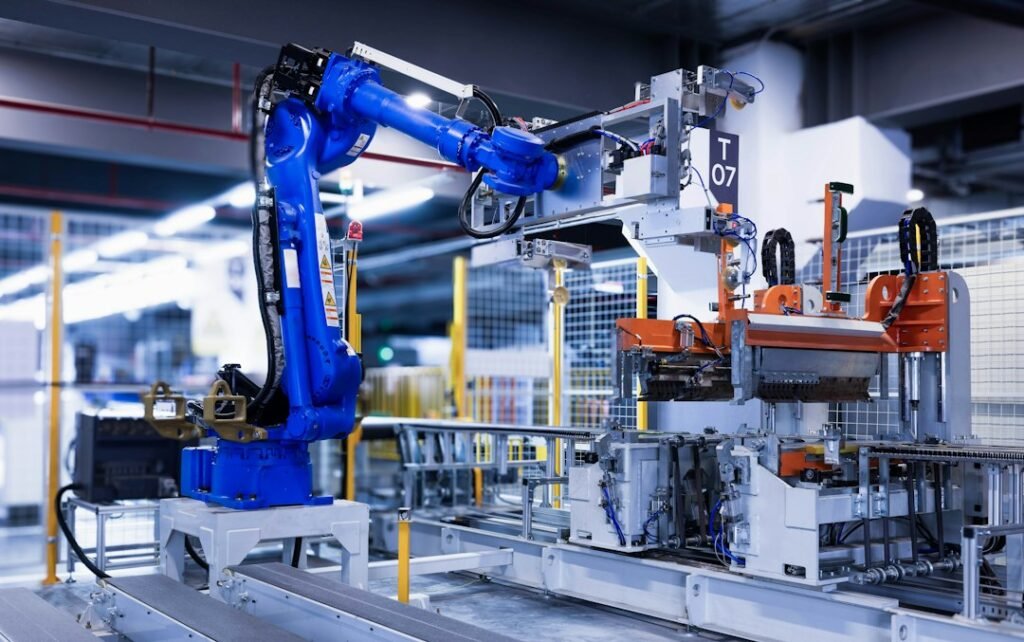
Photo by <a href="https://unsplash.com/@homaappliances?utm_source=WP+Agent&utm_medium=referral">Homa Appliances</a> on <a href="https://unsplash.com/?utm_source=WP+Agent&utm_medium=referral">Unsplash</a>
AI Automation: How Businesses Are Automating Work in 2026
Artificial intelligence is no longer just a tool for generating text, images, or answering questions. In 2026, businesses are increasingly using AI to automate real work, streamline operations, reduce repetitive tasks, and help employees make faster decisions.
From customer service and marketing to finance, sales, human resources, and software development, AI Automation is becoming an important part of modern business strategy.
The biggest change is that businesses are moving from simple rule-based automation toward intelligent systems that can understand information, make decisions within defined boundaries, and complete multiple steps of a workflow.
What Is AI Automation?
AI Automation combines artificial intelligence with automation technologies to perform tasks that traditionally require human involvement.
Traditional automation usually follows predefined rules:
If X happens → perform Y.
AI-powered automation can work differently. It can analyze information, recognize patterns, interpret natural language, and adapt its response based on the situation.
For example, a traditional system might automatically send the same email to every customer. An AI-powered system could analyze the customer’s request, understand the context, generate an appropriate response, and route complicated cases to a human employee.
This makes AI Automation much more flexible than conventional automation.
Why AI Automation Is Growing in 2026
Businesses are under constant pressure to reduce costs while improving productivity and customer experiences.
Employees also spend significant amounts of time on repetitive work such as:
- Data entry
- Email management
- Report preparation
- Customer inquiries
- Scheduling
- Document processing
- Data analysis
- Lead qualification
- Invoice processing
- Updating business systems
AI can help automate many of these activities, allowing employees to focus on higher-value responsibilities.
The goal is not simply to eliminate human work. Instead, businesses are increasingly looking at how technology can remove unnecessary manual effort.
1. Customer Service Automation
Customer support is one of the most popular applications of AI.
AI-powered systems can answer common questions, identify customer problems, retrieve relevant information, and route complex issues to human representatives.
Modern AI systems can also understand conversational language instead of requiring customers to select from rigid menus.
This can help businesses provide support around the clock while reducing the workload on customer service teams.
2. Marketing Automation
Marketing departments generate enormous amounts of content and data.
AI can help businesses automate parts of the marketing process, including:
- Content ideas
- Audience segmentation
- Email campaigns
- Customer analysis
- Ad copy generation
- Campaign reporting
- Lead nurturing
- Social media planning
Instead of spending hours analyzing every campaign manually, marketers can use AI to identify patterns and provide recommendations.
Human marketers can then focus on strategy, creativity, brand positioning, and decision-making.
3. Sales Process Automation
Sales teams often spend considerable time searching for leads, updating CRM systems, sending follow-up emails, and preparing reports.
AI-powered automation can assist with these repetitive activities.
For example, an AI system can analyze incoming leads, determine which prospects are more likely to convert, organize customer information, and help prepare personalized follow-ups.
This can allow sales representatives to spend more time communicating with potential customers rather than performing administrative tasks.
4. Finance and Accounting Automation
Finance departments handle large amounts of structured information.
AI can assist with invoice processing, expense categorization, financial reporting, document analysis, and data reconciliation.
Instead of manually processing every document, businesses can use intelligent systems to extract information and organize it automatically.
However, financial transactions and important financial decisions should still have appropriate human oversight.
5. Human Resources Automation
Recruitment and HR departments can also benefit from AI.
Businesses can use AI-powered systems to help organize applications, schedule interviews, answer common employee questions, prepare documents, and manage routine HR workflows.
AI can reduce administrative work, but companies must be particularly careful about bias and fairness when AI is involved in hiring or employee evaluation.
Human judgment should remain an important part of sensitive employment decisions.
6. Document and Data Processing
Businesses produce thousands of documents every day.
Contracts, invoices, forms, emails, reports, applications, and other files can contain valuable information.
AI can analyze these documents and extract important data much faster than manual processing.
This is one of the areas where AI Automation can deliver significant productivity improvements because employees no longer need to manually review every piece of information for routine tasks.
7. Software Development Automation
AI is also transforming software development.
Developers can use AI systems to generate code, explain existing code, identify bugs, create tests, document projects, and assist with troubleshooting.
AI agents can even work through multi-step development tasks while developers supervise the process.
This does not mean developers are becoming unnecessary. Instead, their role can shift toward architecture, security, testing, quality control, and solving complex problems.
8. Supply Chain and Operations
Businesses with complex supply chains deal with inventory, logistics, suppliers, orders, and constantly changing demand.
AI can analyze operational data and help businesses identify patterns that humans might overlook.
Automation can assist with inventory monitoring, demand forecasting, order processing, scheduling, and logistics coordination.
The result can be a more responsive operation with fewer manual processes.
9. AI-Powered Business Assistants
Another major development in 2026 is the growth of AI assistants that can work across business applications.
Instead of simply answering questions, these systems can potentially help employees retrieve information, create documents, analyze data, schedule activities, and perform other tasks.
This creates a new model of workplace productivity where employees can delegate certain digital tasks to AI.
10. AI Agents and Autonomous Workflows
The next step beyond basic automation is AI agents.
An AI agent can be given a goal and then work through multiple steps to achieve it.
For example, a business could use an AI agent to process a customer request by:
- Reading the customer’s message.
- Identifying the issue.
- Checking relevant customer information.
- Finding the appropriate solution.
- Preparing a response.
- Updating the internal system.
- Escalating the case if human intervention is required.
This combination of AI reasoning and automation could become one of the most important business technology trends of 2026.
The Benefits of AI Automation
The growing adoption of AI Automation is driven by several potential benefits.
Increased Productivity
Employees can spend less time performing repetitive tasks and more time working on strategic activities.
Lower Operational Costs
Automating repetitive processes can reduce the amount of manual effort required for certain workflows.
Faster Business Operations
AI systems can process large amounts of information quickly, helping businesses respond faster.
Better Customer Experiences
AI-powered systems can provide faster responses and more personalized interactions.
Fewer Manual Errors
Automation can reduce certain types of human errors associated with repetitive data processing.
Scalable Operations
Businesses can potentially handle increasing workloads without increasing every area of manual labor at the same rate.
Challenges Businesses Need to Consider
Despite its advantages, AI automation also comes with challenges.
Data Security
Businesses must protect sensitive customer and company information when connecting AI systems to internal data.
Accuracy
AI can make mistakes. Automated workflows therefore need testing, monitoring, and appropriate safeguards.
Human Oversight
Not every decision should be automated. High-risk financial, legal, medical, employment, or customer decisions may require human approval.
Employee Training
Employees need to understand how to work effectively with AI systems. Training can be just as important as purchasing the technology.
Integration
AI automation works best when it can communicate with existing business systems. Poor integration can create additional complexity rather than solving problems.
Don’t Automate a Broken Process
One of the biggest mistakes companies make is automating a process that is already inefficient. If the existing workflow is confusing or unnecessarily complicated, automation may simply make that confusion happen faster. Before implementing AI, ask: can this process be simplified first? Sometimes the best solution isn’t more technology — it’s a better process.
A Step-by-Step Way to Start
Companies don’t need to automate everything at once. Starting small is usually smarter.
Step 1: Identify Repetitive Work
Ask employees which tasks they perform repeatedly every day or every week.
Step 2: Measure the Time
Determine how much time the process actually consumes.
Step 3: Identify the Business Impact
Ask whether automating the process could improve speed, cost, accuracy, or customer satisfaction.
Step 4: Build a Small Workflow
Start with one clearly defined process rather than attempting a company-wide transformation.
Step 5: Test It
Run the automation with human oversight before allowing it to operate independently.
Step 6: Measure Results
Compare the process before and after automation.
Step 7: Expand
Once the workflow works reliably, identify the next process worth automating.
How Small Businesses Can Start
AI automation is not only for large corporations.
Small businesses can begin with simple workflows that consume a lot of employee time.
For example, a small company could automate:
- Customer email responses
- Appointment scheduling
- Lead follow-ups
- Invoice organization
- Social media content workflows
- Customer data entry
- Basic reporting
The best approach is to start small, measure the results, and expand automation gradually.
Businesses should ask three important questions:
What task takes the most time?
What part of that task is repetitive?
Can AI perform that part safely and reliably?
The answers can help identify the best starting point.
AI Automation vs. Human Employees
The future of business automation should not be viewed simply as humans versus AI.
The strongest model is likely to be human + AI.
AI can process information quickly, perform repetitive activities, and work continuously. Humans bring creativity, empathy, judgment, leadership, communication, and responsibility.
Businesses that combine these strengths can potentially achieve better results than either humans or technology working alone.
How AI Automation Can Create a Competitive Advantage
Imagine two businesses competing for the same customers. Business A spends hours manually processing leads, responding to routine inquiries, and preparing reports. Business B uses automation to handle much of that work and lets employees focus on customers and strategy. Business B may be able to respond faster, operate with a smaller administrative workload, and scale more efficiently — which is why AI automation isn’t simply a technology trend. It can become a genuine strategic advantage.
The Future of AI Automation
The future of AI Automation is moving toward increasingly connected systems.
Instead of automating individual tasks separately, businesses may create complete intelligent workflows in which AI systems communicate with different business applications.
A customer inquiry could trigger a sequence involving customer service, CRM updates, inventory checks, payment systems, and follow-up communications.
This could turn automation from a collection of individual tools into an intelligent digital workforce.
However, successful businesses will need strong security, governance, monitoring, and human oversight to ensure these systems operate responsibly.
Conclusion
AI Automation is changing how businesses work in 2026 by combining artificial intelligence with automated workflows.
From customer service and marketing to finance, HR, sales, software development, and supply chain management, AI is helping businesses reduce repetitive work and improve operational efficiency.
The biggest opportunity is not simply automating as many tasks as possible. It is identifying the right tasks to automate while keeping humans involved where judgment, creativity, accountability, and empathy matter most.
Businesses that start experimenting with practical AI workflows today can build valuable experience for the future.
As AI becomes more capable, the companies that succeed will likely be those that understand how to combine intelligent automation with human expertise—creating faster, smarter, and more efficient ways of working.