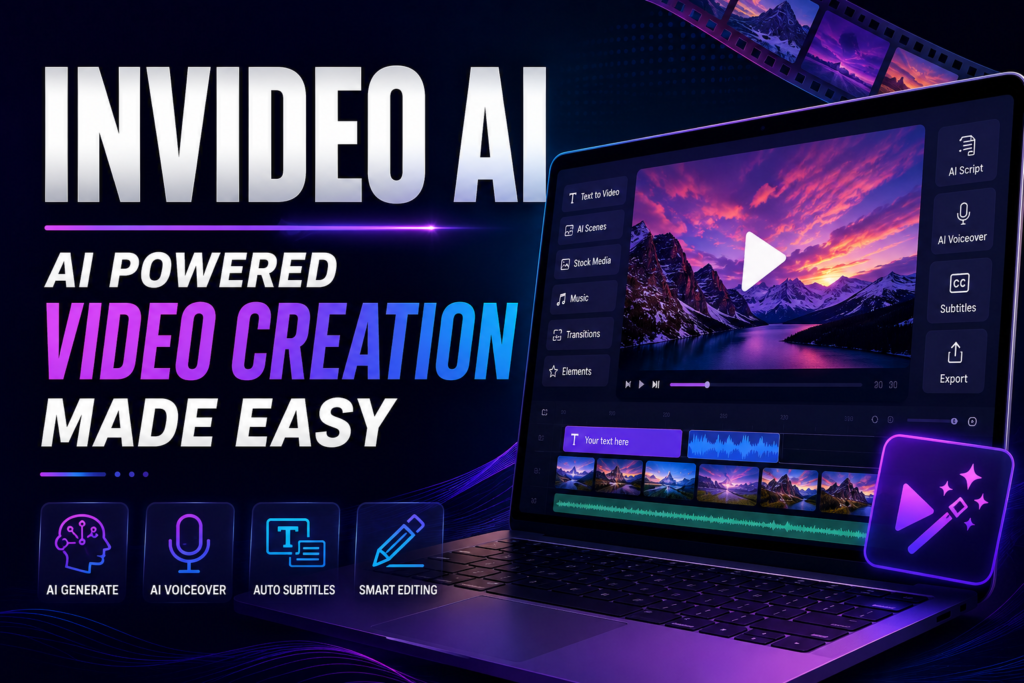
Invideo AI: Features That Make Video Creation Easier
Creating a professional video traditionally requires several different steps. A creator may need to write a script, find footage, record a voiceover, add music, create subtitles and edit everything together.
Invideo AI aims to simplify much of this process by allowing users to describe what they want and letting AI assist with video creation.
According to Invideo’s official information, the platform can generate scripts, select visuals, create voiceovers, add subtitles and music, and help users edit videos using text commands.
What Is Invideo AI?
Invideo AI is an AI-powered video creation platform designed to turn ideas, prompts and scripts into videos.
Users can specify details such as the topic, length, platform and voiceover preferences. The AI then creates a video that can be edited and exported.
The platform currently also offers access to multiple AI models for video, image and audio generation.
1. AI Video Generator
The main feature of Invideo AI is its AI video generator.
Users can simply describe the video they want to create. The platform can then generate a script, select relevant media and add elements such as voiceover, music and transitions.
This can be useful for:
- YouTube videos
- Instagram Reels
- TikTok videos
- Educational content
- Marketing videos
- Explainer videos
- Promotional content
2. Text-to-Video
Invideo also offers Text to Video AI, allowing users to turn written prompts into video content.
The platform’s current text-to-video tool supports AI-generated visuals, characters, cinematic effects, animations and voiceovers.
3. AI-Generated Images and Videos
Another interesting Invideo feature is the ability to work with AI-generated images and videos.
Invideo says its current platform can create stories using AI-generated visual content without requiring users to switch between multiple separate AI video tools.
This can make the creative workflow more convenient.
4. AI Voiceovers
Voiceover is an important part of many videos.
Invideo provides AI-generated voices and states that its voiceovers are available in more than 50 languages. Users can choose different voice characteristics, languages and accents.
This can help creators produce narrated videos without recording their own voice.
5. Automatic Subtitles
Subtitles can make videos easier to understand, particularly when viewers watch without sound.
Invideo AI can generate and add subtitles to videos, while its editing system also allows users to change subtitle styles and animations through commands.
6. AI Video Editing
One of the more interesting features is text-based editing.
Instead of manually searching through every editing option, users can give commands to the AI.
For example, Invideo’s Magic Box can be used for commands such as changing a voiceover, deleting a scene, changing music, adding subtitles or modifying the visual style.
This can make editing easier for beginners.
7. Magic Box
The Magic Box acts as a text-based control system for editing.
Users can type instructions such as:
- Delete a scene
- Change the narrator
- Change the music
- Add subtitles
- Modify subtitle style
- Change media
- Add transitions
- Change the video format
The system then applies the requested changes to the video.
8. Faceless Video Creation
Invideo also provides an AI faceless video generator.
Users can create videos without appearing on camera or using traditional recording equipment.
The platform can generate the script, visuals, voiceover, music and other elements from a prompt.
This can be useful for creators who want to build content around topics such as:
- Technology
- Education
- History
- Travel
- Motivation
- Business
- News-style content
9. Multiple AI Models
A newer Invideo AI capability is access to multiple AI models from one workspace.
Invideo’s help documentation says the platform provides access to 200+ AI models for video, image and audio generation, with the system able to route requests to suitable models.
This gives creators more flexibility when experimenting with different generation styles.
10. Social Media Video Creation
Invideo can be used to create content for platforms such as YouTube, Instagram and TikTok.
This can be useful for creators and businesses that need to publish content regularly.
11. Create Videos From Scripts
Users do not have to start with a simple idea.
Invideo also allows creators to provide their own script and turn it into a video.
The platform lets users specify preferences such as media type, background music, subtitle style and language.
This is useful when a creator has already written an article or video script.
12. Create Videos From Links
Invideo’s documentation says users can work with inputs such as scripts, blog links and YouTube links when creating videos.
This can make it easier to transform existing written or video content into a new video format.
13. Video Translation
Invideo’s current platform includes video translation among its AI features.
This can help creators adapt video content for audiences who speak different languages.
For businesses targeting international customers, multilingual video content can be particularly useful.
14. AI Avatars and Voice Features
The platform also lists AI avatar and voice-related tools, including AI avatars and voice cloning.
These features can provide additional options for creators who want presenters or narrated content without traditional filming.
15. Free Plan
Invideo currently offers a free plan that does not require entering card details.
According to its help center, the free plan provides limited credits that reset weekly and allows users to explore selected AI features and create/share videos.
Users who need more generation capacity can consider the paid plans.
Who Can Use Invideo AI?
Invideo AI can be useful for many different types of users:
- YouTube creators
- Social media creators
- Small businesses
- Digital marketers
- Educators
- Freelancers
- Bloggers
- Advertisers
- Content agencies
For example, a blogger could turn an article into a video, while an online store could create a product advertisement.
Invideo AI vs Traditional Video Editing
Traditional video editors provide detailed manual control over every element of a project.
Invideo’s AI approach focuses more on automation.
Instead of manually selecting every clip and editing every scene, users can describe what they want and allow AI to create or modify the video.
This does not necessarily replace traditional editing. Instead, it can be a faster approach for certain types of content.
Final Thoughts
Invideo AI combines AI video generation with editing, voiceovers, subtitles, AI visuals and multiple content-creation tools.
Its ability to generate videos from prompts, edit videos using text commands and create faceless content makes it particularly interesting for creators and businesses that need to produce videos regularly.
The platform is also moving toward a broader AI filmmaking workflow, with its current agent-based system designed to handle tasks such as scripting, storyboarding, generation and editing across multiple AI models.
Overall, Invideo AI can be a useful option for anyone looking to make video production faster without having to handle every technical step manually.