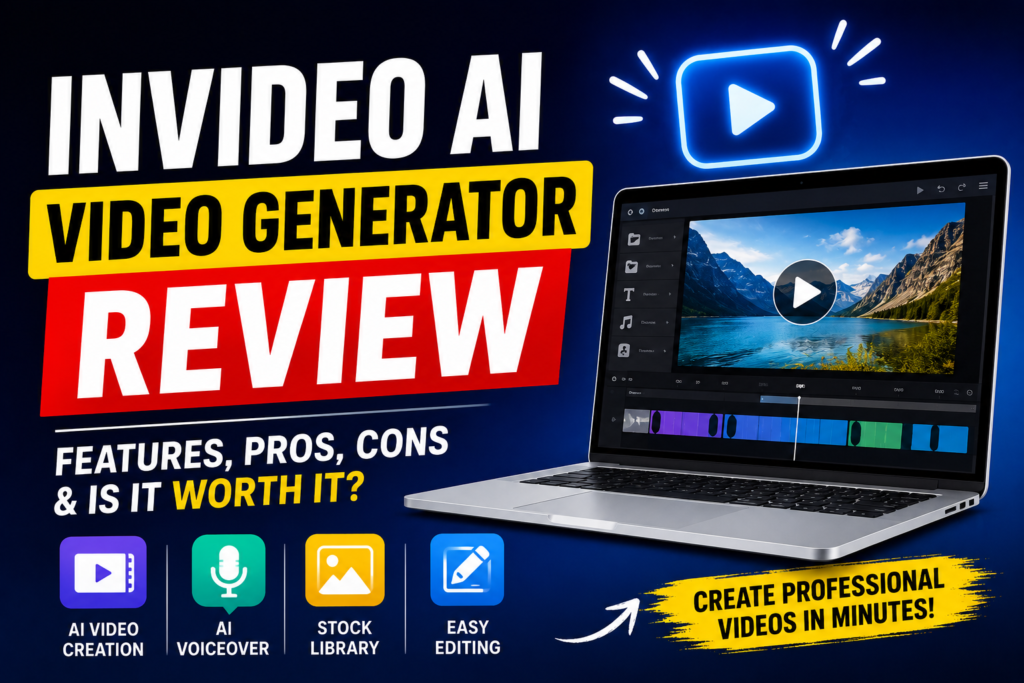
InVideo AI Video Generator Review 2026: The AI Tool That Could Change How You Create Videos
Creating professional videos has traditionally required time, money, and technical skills.
You needed to write a script, record a voiceover, search for footage, edit scenes, add music, create subtitles, fix transitions, and finally export the video.
For a single video, this could take hours.
For a business producing content every day, it could become a full-time job.
AI is changing that.
In this InVideo AI video generator review, we’ll look at what makes the platform powerful, where it falls short, who should use it, and whether it’s actually worth your time and money.
What Is InVideo AI?
InVideo AI is an AI-powered video creation platform that allows users to create videos from text prompts and instructions.
Instead of manually building a video from an empty timeline, you can explain what you want the video to be about.
The platform can assist with:
- Script creation
- Scene generation
- AI voiceovers
- Subtitles
- Music
- Stock footage
- AI-generated visuals
- Video editing
- Social media content
- Promotional videos
The biggest attraction is that you don’t need to be an experienced video editor to start.
You can focus on the idea and message, while AI handles much of the production process.
Why InVideo AI Is Different
There are now dozens of AI video generators.
So why should anyone care about InVideo?
The answer is the complete workflow.
Some AI tools are excellent at generating short video clips.
Others specialize in avatars.
Others create voiceovers.
Others provide stock footage.
InVideo attempts to bring many of these capabilities together.
That means you don’t necessarily need to jump between five different platforms just to create one video.
Your workflow can become:
Idea → Script → Visuals → Voice → Editing → Final Video
And that’s where the real time-saving potential begins.
InVideo AI Video Generator Review: What Can You Actually Create?
The platform can be used for much more than simple videos.
YouTube Videos
You can create:
- Faceless YouTube videos
- Educational videos
- Tutorials
- Explainer videos
- Storytelling videos
- Product reviews
- Business videos
- List-style content
For creators who want to publish frequently, reducing production time can be extremely valuable.
YouTube Shorts and Reels
Short-form video has become one of the most important content formats online.
You can use AI to create content for:
- YouTube Shorts
- Instagram Reels
- TikTok
Instead of spending hours editing every 30-second video, you can use AI to create an initial version and then refine it.
This makes InVideo particularly interesting for social media managers and creators who need a high volume of content.
AI Voiceovers Without Recording Yourself
One of the biggest obstacles for new creators is voice recording.
Not everyone has:
- A professional microphone
- A quiet room
- Confidence speaking on camera
- Time to record multiple takes
AI voiceovers can solve much of that problem.
InVideo provides AI voiceover capabilities and supports numerous languages and accents.
This is particularly useful for faceless channels.
You can write the script, choose an appropriate voice, and create narrated content without recording yourself.
For someone building a YouTube channel anonymously, this can remove a major barrier to getting started.
AI Visuals and Stock Footage
A good video needs good visuals.
If you’re making a video about technology, for example, you might need:
- Computer footage
- Office scenes
- AI imagery
- Business visuals
- Animated elements
- Background footage
Finding every clip manually can consume a lot of time.
This is especially useful when you’re producing educational, marketing, or business content.
Text-Based Video Editing
This is one of the features that can make AI video creation much easier for beginners.
Traditional editing requires you to work with a timeline.
You need to understand:
- Cuts
- Tracks
- Transitions
- Audio
- Scenes
- Captions
- Effects
With AI-assisted editing, you can communicate changes using normal language.
For example:
“Remove this scene.”
“Make the introduction more exciting.”
“Change the voice.”
“Add subtitles.”
“Make the video shorter.”
This type of workflow can make editing much less intimidating for beginners.
Agentic AI: The Bigger Reason to Pay Attention
One of the most interesting developments around InVideo is its Agent One workflow.
Instead of treating every generation as an isolated request, the system is designed to maintain context across a larger project.
That matters when you’re creating a video with multiple scenes.
For example, imagine you’re creating a five-minute story.
You want:
- The same character
- Consistent locations
- A specific visual style
- Consistent storytelling
- Matching scenes
- Appropriate music
- A coherent voiceover
Maintaining all of those details manually can be difficult.
An agentic workflow attempts to coordinate those tasks together.
This is a major step beyond simply saying:
“Create a video about AI.”
InVideo AI for Faceless YouTube Channels
This may be one of the strongest use cases.
A faceless channel doesn’t necessarily need a person sitting in front of a camera.
Instead, you can combine:
Script + AI voice + visuals + subtitles + editing
to produce a complete video.
Potential channel ideas include:
- Technology
- AI
- Finance education
- Business
- History
- Motivation
- Tutorials
- Facts
- News commentary
- Software reviews
But there’s one important warning.
AI does not guarantee a successful YouTube channel.
You still need original ideas, strong titles, attractive thumbnails, good storytelling, and audience retention.
AI can help you produce content faster.
It can’t guarantee that people will watch it.
InVideo AI for Businesses
Businesses have another major opportunity.
Think about how many videos a modern business needs.
A company might need:
- Product advertisements
- Instagram videos
- Facebook ads
- YouTube content
- Website videos
- Promotional videos
- Explainer videos
- Customer education
- Product demonstrations
Hiring an editor for every small video can become expensive.
AI can help businesses produce multiple versions of their content much faster.
That’s why the value of InVideo isn’t necessarily about replacing professional video production.
It’s about making high-volume content production easier.
InVideo AI for E-Commerce
Online stores can benefit significantly from AI video creation.
Imagine you launch a new product.
Instead of creating only one product image, you could create:
Product video
15-second Reel
30-second advertisement
Product explanation
Social media promotion
Short-form video ad
One product can therefore generate multiple pieces of marketing content.
For small e-commerce businesses that don’t have a dedicated creative team, this can be extremely useful.
Is InVideo AI Easy for Beginners?
Yes, and that’s one of its strongest selling points.
You don’t need to spend weeks learning professional editing software before creating your first video.
The basic process is straightforward:
Step 1: Choose Your Idea
Decide what you want to create.
Step 2: Write Your Prompt
Tell the AI what the video should accomplish.
Step 3: Generate
Let the platform create the initial version.
Step 4: Review
Check the script, visuals, voice, and pacing.
Step 5: Refine
Ask AI to make changes or manually adjust the video.
Step 6: Export
Once you’re happy with the result, export your final content.
That’s a much easier starting point for beginners than learning an advanced editor from scratch.
What I Like About InVideo AI
1. It Saves Production Time
This is probably the biggest benefit.
Tasks that could previously take hours can potentially be completed much faster.
2. It Combines Multiple Tools
You don’t necessarily need separate tools for every stage of production.
3. It’s Beginner-Friendly
You can communicate with AI using ordinary language.
4. It’s Useful for High-Volume Content
If you need several videos every week, AI becomes much more valuable.
5. It’s Useful Beyond YouTube
Businesses, marketers, freelancers, and social media managers can all find potential uses for it.
What I Don’t Like
A professional review shouldn’t only discuss the positives.
There are some things you should consider before paying.
AI Isn’t Perfect
Sometimes the generated result won’t match your expectations.
You may need to regenerate scenes or rewrite the prompt.
Quality Depends on Your Instructions
A vague prompt can produce a generic result.
If you provide clear information about:
- Audience
- Tone
- Style
- Duration
- Topic
- Visual direction
you’ll generally have more control over the result.
Costs Can Add Up
AI video generation can consume credits.
If you’re creating large numbers of videos or experimenting heavily, you need to pay attention to your usage.
Human Creativity Still Matters
AI can produce the video.
But you provide the creative direction.
The best results usually come when humans use AI as a production assistant rather than expecting it to do everything without supervision.
Is InVideo AI Worth the Money?
This depends on what you’re trying to accomplish.
If you make one video every few months, you probably don’t need an advanced AI video platform.
But if you’re producing:
- Daily YouTube videos
- Multiple Reels
- Marketing campaigns
- Product videos
- Advertisements
- Educational content
- Client projects
then the time savings can potentially justify the cost.
Think about it this way:
If a tool saves you several hours every week, the real question isn’t simply:
“How much does the subscription cost?”
The better question is:
“How much is my time worth?”
That’s the calculation businesses should make.
Who Should Try InVideo AI?
I’d strongly consider testing it if you’re:
YouTube Creator
Especially if you’re building a faceless channel.
Social Media Manager
Useful when you need a constant supply of videos.
E-Commerce Owner
Create promotional videos for products.
Digital Marketer
Produce advertising and campaign content.
Freelancer
Create videos for clients without building a large production team.
Small Business Owner
Create professional content without hiring an entire creative department.
Who Should Probably Skip It?
You may not need it if you already have:
- A professional video production team
- An experienced editor
- A complete content department
- Very low video-production requirements
Professional editors still provide a level of creative control that AI cannot completely replace.
The best approach may actually be AI + human expertise.
The Real Power of AI Video
Here’s where things get exciting.
The biggest advantage isn’t simply that AI can make one video.
It’s that AI can potentially allow you to create many more versions of your content.
Imagine having one article.
You could turn it into:
YouTube video
↓
YouTube Short
↓
Instagram Reel
↓
TikTok
↓
Facebook video
↓
LinkedIn video
↓
Product advertisement
One idea can become an entire content campaign.
That is where AI video becomes a serious business tool rather than just a fun experiment.
Want to Turn AI Into Real Business Results?
There is a difference between owning an AI tool and knowing how to use AI strategically.
You can subscribe to dozens of AI platforms and still struggle to generate customers.
The real value comes from combining:
AI + Content + SEO + Marketing + Strategy
If you want professional assistance with AI-powered digital solutions and online business growth, you can explore:
Instead of spending countless hours trying to understand every AI platform yourself, professional support can help you focus on what actually matters: growing your online presence and attracting customers.
Final Verdict
After looking at its capabilities, workflow, and practical applications, my verdict is straightforward:
InVideo AI is worth testing if video creation is an important part of your content strategy.
It’s particularly attractive for people who need to create content frequently but don’t want to spend their entire day editing.
It can help with scripts, visuals, voiceovers, editing, subtitles, stock footage, and other production tasks.
But don’t expect AI to magically create viral content.
The formula is still:
Great idea + strong script + good visuals + excellent thumbnail + smart distribution = better chance of success.
AI simply makes the production side much faster.
Conclusion
The future of video creation isn’t necessarily about humans versus AI.
It’s about humans using AI to produce more with less time.
That’s what makes InVideo AI so interesting.
A creator who previously needed several hours to produce one video can potentially use AI to accelerate much of that workflow.
A small business that couldn’t afford a dedicated video team can now experiment with professional-looking marketing content.
A freelancer can potentially handle more client projects.
And a YouTube creator can produce more content without spending every day inside a traditional editing timeline.
That’s the real opportunity.
If you’re serious about growing with video, don’t just watch what AI can do—test it yourself.
Start Creating With InVideo AI
And if you want to go one step further and use AI as part of a complete digital growth strategy: