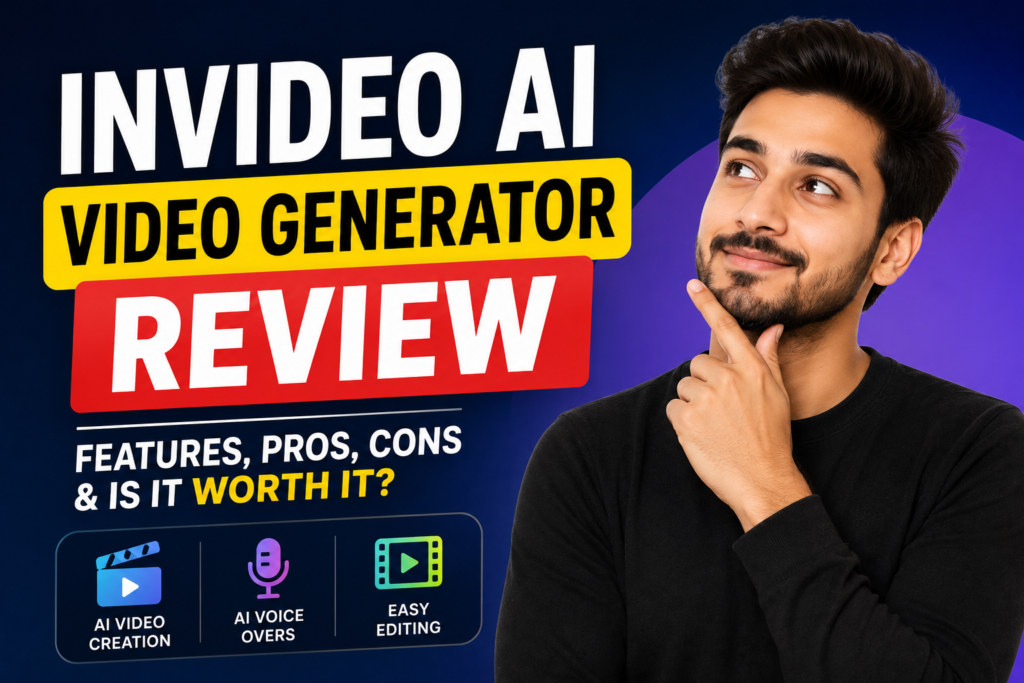
InVideo AI Video Generator Review 2026: Is It Really Worth Using?
Creating professional videos used to require expensive software, advanced editing skills, stock footage, voiceover artists, and hours of editing.
Today, AI is changing that process.
You can start with an idea, script, product description, or simple prompt and let AI handle much of the production work.
One of the platforms attracting serious attention is InVideo AI.
In this detailed InVideo AI video generator review, we’ll look at what InVideo AI can actually do, its biggest strengths and weaknesses, who should use it, how much it costs, and whether it’s worth trying for YouTube, social media, marketing, advertising, and business content.
Try InVideo AI Video Generator
What Is InVideo AI?
InVideo AI is an online AI-powered video creation platform that can turn a text idea or prompt into a complete video.
That makes the platform particularly interesting for people who want professional-looking videos without spending hours learning complicated editing software.
Instead of starting with a blank timeline, you can start with an idea.
For example:
“Create a 60-second promotional video for an AI consulting company targeting small businesses.”
The AI can then turn that concept into a structured video.
Why InVideo AI Is Getting Attention
The biggest attraction is convenience.
Traditional video production can involve:
- Writing a script
- Finding footage
- Recording a voiceover
- Adding music
- Creating subtitles
- Editing scenes
- Adding transitions
- Formatting the video
- Exporting the final version
InVideo AI combines many of these steps into one workflow.
This is particularly valuable for creators who need to produce content frequently.
TechRadar’s July 2026 review described InVideo as a powerful AI generation and editing platform and highlighted its conversational Agent One system for creating scripts, scenes, images, and characters from natural-language instructions.
InVideo AI Video Generator Review: Main Features
1. Text-to-Video Creation
The core feature is simple:
Give InVideo an idea, and it creates a video.
You can specify the topic, length, platform, audience, voiceover preferences, and other requirements.
InVideo says users can select their audience, platform, and appearance before generating a video.
This makes it useful for:
- YouTube videos
- Instagram Reels
- TikTok videos
- Facebook content
- Product videos
- Educational videos
- Explainer videos
- Advertisements
- Faceless videos
2. AI Voiceovers
You don’t necessarily need to record your own voice.
InVideo offers AI voiceovers with human-sounding voices and supports more than 50 languages and different accents.
For creators running faceless channels, this can be a major advantage.
You can create a script, choose a voice, and produce a narrated video without hiring a voice actor for every project.
3. AI Images and Video Generation
InVideo has expanded beyond simply assembling stock footage.
Its current platform includes AI-generated images and videos, while its newer agentic workflow can route work across multiple AI models.
That gives creators more flexibility when they can’t find the exact visual they need in a stock library.
4. Stock Media Library
InVideo also provides access to a large collection of stock images and videos.
Its website currently advertises 16 million+ stock photos and videos.
This can be particularly useful for:
- Business videos
- News-style videos
- Educational content
- Marketing videos
- Listicles
- Explainers
Instead of searching multiple websites for B-roll, you can work within the same platform.
5. Text-Based Editing
One of the most convenient features is editing through instructions.
Instead of manually searching through a timeline, you can give commands such as changing the voiceover, deleting scenes, or adding an introduction.
InVideo specifically describes its “Magic Box” editing workflow as allowing users to make changes through text commands.
For beginners, this can make video editing considerably less intimidating.
Agent One: The Feature That Makes InVideo Different
The most interesting development in InVideo is its agentic AI workflow.
InVideo’s Agent One is designed to behave more like a creative production team than a simple prompt-to-video generator.
According to InVideo, the agent can handle script breakdown, character sheets, storyboards, shot generation, voices, music, and editing while maintaining project context.
That matters because consistency is one of the biggest problems with AI-generated video.
If you create several scenes manually, characters, locations, lighting, and visual styles can change from one shot to another.
InVideo is attempting to solve that by maintaining project context across the production process.
TechRadar also highlighted Agent One’s ability to retain context and help create cinematic videos through conversational instructions.
How Easy Is InVideo AI to Use?
This is one of its strongest advantages.
You don’t need to be an experienced video editor to get started.
The basic workflow is:
Prompt → Generate → Edit → Publish
InVideo’s official workflow follows these four stages, with users able to select a workflow, generate the video, edit it through prompts, and then publish the result.
You can essentially describe what you want in normal language.
That makes the platform accessible to:
- Beginners
- YouTubers
- Bloggers
- Entrepreneurs
- Marketers
- Freelancers
- Small businesses
- Social media managers
Is InVideo AI Good for YouTube?
Yes, especially if you want to produce videos quickly.
You can use it for:
- Faceless YouTube channels
- Educational videos
- Tutorials
- Explainer videos
- Top-10 videos
- Business content
- AI news
- Storytelling
- Product reviews
If your strategy depends on publishing consistently, reducing production time can be extremely valuable.
However, you shouldn’t expect AI-generated content to automatically become successful.
Your topic, title, thumbnail, storytelling, originality, and audience retention still matter.
AI can speed up production.
It cannot replace a good content strategy.
Is InVideo AI Good for Social Media?
This may actually be one of its strongest use cases.
Businesses constantly need short-form content.
You can create videos for:
- Instagram Reels
- TikTok
- YouTube Shorts
- Product promotions
- Advertisements
Zapier’s 2026 testing also highlighted InVideo’s usefulness for faceless videos and social-media channels that require a high volume of content.
For a business owner who needs several promotional videos every week, that can save a significant amount of time.
InVideo AI for Business Marketing
This is where the platform becomes particularly interesting.
Imagine you own an online store.
Instead of paying a video editor every time you launch a product, you could use AI to create:
Product advertisements
Social media videos
Promotional videos
Explainer videos
Product demonstrations
Short-form ads
The platform also has an Advertising Studio aimed at creating professional advertising videos. TechRadar highlighted this among InVideo’s newer features.
For small businesses with limited marketing budgets, that can be a powerful capability.
InVideo AI Pricing
Pricing is one area where you need to think carefully.
InVideo currently offers a free plan with limited usage, allowing users to test the platform before paying. Its paid plans vary according to credits and features.
TechRadar’s July 2026 review listed the Plus plan at $17/month, billed annually, with 75 credits, while higher tiers increase the credit allowance and other resources.
InVideo’s own current pricing information also lists a Plus plan at $17/month when billed annually and a higher Max plan at around $83/month annually.
The Biggest Advantages
Fast Production
You can go from an idea to a first draft much faster than traditional video production.
Beginner-Friendly
You don’t need advanced editing knowledge to get started.
Multiple Content Types
You can create videos for YouTube, social media, advertising, education, and business.
AI Voiceovers
You can produce narrated content without recording your own voice.
Text-Based Editing
Simple instructions can be used to modify parts of the video.
Large Media Library
The stock library gives you access to a large selection of visual assets.
Advanced AI Workflow
Agent One is designed to maintain context across a project, which can be useful for more complicated productions.
The Disadvantages
A strong review also needs to discuss the negatives.
It Can Be Expensive
InVideo is not necessarily the cheapest AI video platform.
TechRadar specifically described it as relatively expensive compared with several competitors.
If you’re creating only one or two simple videos a month, the cost may not be justified.
Generation Can Take Time
AI video generation isn’t always instant.
TechRadar’s hands-on testing found InVideo took noticeably longer to generate videos than some competing tools, although the reviewer considered the resulting output worth the wait.
AI Doesn’t Guarantee Great Content
A poorly written prompt can produce a mediocre video.
The better your instructions, references, structure, and creative direction, the better your chances of getting a useful result.
Credits Need to Be Managed
Heavy experimentation can consume credits quickly.
If you’re generating many variations, you should monitor your usage carefully.
Who Should Use InVideo AI?
I would particularly recommend exploring it if you’re:
A YouTuber who needs regular videos.
A faceless content creator who doesn’t want to appear on camera.
A business owner who needs promotional content.
A social media manager who needs frequent videos.
A marketer creating advertisements.
A freelancer producing content for clients.
A blogger who wants to convert articles into videos.
If your biggest problem is time, InVideo AI becomes especially interesting.
Who May Not Need It?
If you’re a professional filmmaker who wants complete manual control over every frame, traditional professional editing software may still be more appropriate.
Likewise, if you only create a video once every few months, paying for an advanced AI video platform may not make financial sense.
The best tool depends on your workflow.
Is InVideo AI Worth It in 2026?
After looking at its current features, pricing, and independent reviews, the answer is:
Yes—for the right user.
InVideo is no longer just a basic template-based video maker.
Its current platform combines AI generation, editing, voiceovers, stock media, AI models, and agentic workflows. TechRadar rated it as a professional-grade platform with particularly strong conversational AI capabilities.
The biggest question is whether you’ll use those capabilities enough to justify the cost.
If you’re producing content regularly, the time saved can make the subscription much more valuable.
If you’re only experimenting with AI video occasionally, the free plan is a sensible place to start.
Want Professional AI Video & Digital Content Help?
Here’s the reality:
AI tools are powerful, but you still need strategy.
You need the right video concept.
You need compelling scripts.
You need strong marketing.
You need professional visuals.
You need content that actually makes people take action.
If you don’t want to spend hours learning AI tools and building everything yourself, you can explore professional AI and digital services through:
AI Brainora — Explore AI & Digital Services
Instead of simply giving you another tool to learn, professional support can help you turn AI technology into something useful for your business.
Final Verdict
This InVideo AI video generator review shows why InVideo has become an interesting option for modern content creators and businesses.
Its combination of AI video generation, AI voices, stock media, text-based editing, multiple AI models, and agentic workflows gives users a powerful way to produce video content without traditional production complexity.
The biggest downside is price. It can also take time to generate content, and users still need to provide good creative direction.
But if your goal is to create more videos in less time, InVideo AI is definitely worth testing.
And you don’t have to take our word for it.
Conclusion
Video has become one of the most important forms of online content.
Whether you’re building a YouTube channel, promoting a product, running advertisements, growing a social media page, or creating educational content, the ability to produce professional videos quickly can give you a major advantage.
InVideo AI brings many traditionally separate production tasks into one platform.
You can start with an idea, generate a script, create or select visuals, add a voiceover, edit through simple instructions, and publish the final result.
That’s the real attraction.
You don’t need to become a professional video editor to start creating professional-looking content.
If you want to experiment with AI-powered video creation, start with the free option and see whether it fits your workflow.
And if you want professional help turning AI into a real marketing strategy, explore: