Grok Imagine Video 1.5 Lite: How to Use It, Pricing and 1.5 vs Lite (2026 Guide)
xAI’s new Grok Imagine Video 1.5 Lite starts at $0.02 per second with audio. Here’s how to use it through the API, what each resolution costs, how it compares with 1.5, and what to know about the Grok app.

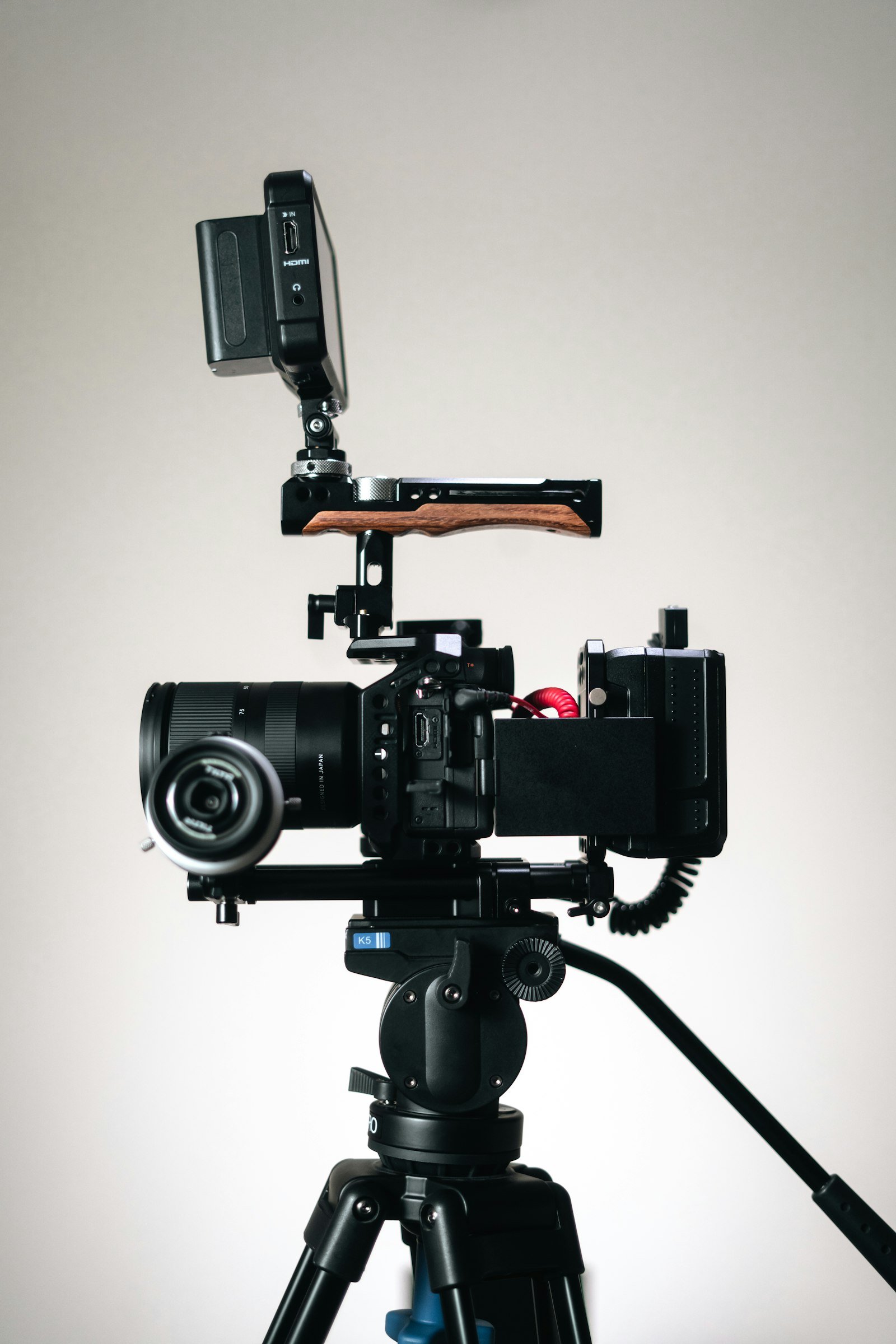
Photo by <a href="https://unsplash.com/@themakerjess?utm_source=WP+Agent&utm_medium=referral">The Maker Jess</a> on <a href="https://unsplash.com/?utm_source=WP+Agent&utm_medium=referral">Unsplash</a>
Grok Imagine Video just got a cheaper option. On 6 October 2026, xAI added Grok Imagine Video 1.5 Lite, a faster, lower-cost version of its 1.5 video model that starts at $0.02 per second of video with audio included. This guide explains what Grok Imagine Video is, how the three video models differ, how to generate your first clip through the API step by step, what each resolution really costs, and what to know about using it responsibly.

Specifications and prices below were checked on 9 October 2026 against xAI’s developer documentation and pricing page, the Grok Imagine API page, and listings on OpenRouter and Vercel AI Gateway. Prices are in US dollars and can change, so confirm them in your xAI console before budgeting.
What Is Grok Imagine Video?
Grok Imagine is xAI’s family of image and video generation models, the creative side of the Grok assistant. You describe a scene in words, or supply a starting image, and the model returns a short video clip with a generated soundtrack. xAI offers the models through its API, and Grok Imagine is also built into the Grok apps.
xAI currently lists three video models in its developer documentation:
| grok-imagine-video | grok-imagine-video-1.5 | grok-imagine-video-1.5-lite | |
|---|---|---|---|
| Best for | Editing and extending existing clips | Highest quality and reference-to-video | Lowest cost for simple videos |
| Maximum resolution | 720p | Native 1080p | 1080p, upscaled from 720p |
| Price at 480p | $0.05 per second | $0.08 per second | $0.02 per second |
| Price at 720p | $0.07 per second | $0.14 per second | $0.03 per second |
| Price at 1080p | Not offered | $0.25 per second | $0.14 per second |
| Audio | Generated by default | Lip-synced speech; up to 3 reference voices | Lip-synced speech |
All three produce clips from 1 to 15 seconds long (8 seconds by default) and support nine aspect ratios: 1:1, 16:9, 9:16, 4:3, 3:4, 3:2, 2:3, 21:9 and 5:2.
What Is New in Grok Imagine Video 1.5 Lite?
OpenRouter describes 1.5 Lite as a faster, lower-cost model distilled from Grok Imagine Video 1.5, trading some quality for speed and price. According to xAI’s documentation, it:
- Costs the least per second of any Grok video model: $0.02 at 480p and $0.03 at 720p, with audio included.
- Supports text-to-video and image-to-video. Reference-to-video with multiple reference images and voice references remains a feature of the full 1.5 model.
- Generates audio by default, including lip-synced speech, unless you switch it off.
- Reaches 1080p by upscaling from 720p, rather than rendering natively at 1080p like the full 1.5 model.
The practical takeaway is simple. For drafts, storyboards, social clips and testing prompts, Lite at 480p or 720p is dramatically cheaper. When you need the best possible detail at 1080p, the full 1.5 model is the better choice, and at that resolution the price gap narrows ($0.14 versus $0.25 per second).
What a clip actually costs
Because pricing is per second, the maths is easy. Using xAI’s listed rates:
| Clip | 1.5 Lite | 1.5 |
|---|---|---|
| 8 seconds at 480p | $0.16 | $0.64 |
| 8 seconds at 720p | $0.24 | $1.12 |
| 15 seconds at 720p | $0.45 | $2.10 |
| 15 seconds at 1080p | $2.10 | $3.75 |
These figures are our own calculations from the per-second prices and cover video output only. Image inputs for image-to-video have a small separate charge, and repeated test generations add up quickly while you are experimenting.
How to Use Grok Imagine Video Through the API
The API is the most reliable way to use a specific model such as 1.5 Lite, because you choose the model, resolution and length yourself.
Step 1: Create an xAI API key
Sign in at console.x.ai, set up billing and create an API key. Store it in an environment variable called XAI_API_KEY rather than pasting it into your code.
Step 2: Send a generation request
Video generation is asynchronous. You send a request, receive a request_id, then check back until the video is ready. This Python example is adapted from xAI’s documentation, using the Lite model:
import os, time, requests

headers = {
    "Content-Type": "application/json",
    "Authorization": f"Bearer {os.environ['XAI_API_KEY']}",
}

resp = requests.post(
    "https://api.x.ai/v1/videos/generations",
    headers=headers,
    json={
        "model": "grok-imagine-video-1.5-lite",
        "prompt": "A red tram crossing a rainy Lisbon street at dusk, slow camera pan, ambient city sound",
        "duration": 8,
        "aspect_ratio": "9:16",
        "resolution": "720p",
    },
)
request_id = resp.json()["request_id"]
Step 3: Poll for the result and download it
while True:
    data = requests.get(
        f"https://api.x.ai/v1/videos/{request_id}",
        headers={"Authorization": headers["Authorization"]},
    ).json()
    if data["status"] == "done":
        print(data["video"]["url"])
        break
    if data["status"] == "failed":
        print("Generation failed:", data.get("error"))
        break
    time.sleep(5)
xAI says generation usually takes up to several minutes, and longer clips, higher resolutions and complex prompts take longer. The video URL is temporary, so download the file straight away if you want to keep it.
Step 4: Adjust the settings
- Silent clips: add
"generate_audio": falseif you plan to add your own music or voiceover. - Image-to-video: supply a starting image to animate. The output keeps the image’s aspect ratio, so the
aspect_ratiosetting is ignored. - Resolution: 480p is the default. Choose 720p for social posts and 1080p only when you need it, because it costs far more on Lite.
- Length: any whole number of seconds from 1 to 15.
Other ways to access the model
If you already use a model gateway, Grok Imagine Video 1.5 Lite is listed on OpenRouter (as x-ai/grok-imagine-video-1.5-lite) and was added to Vercel AI Gateway on 8 October. Both list the provider as SpaceXAI. Gateways can be convenient for comparing several video models with one API key, but check their prices against xAI’s own rates.
Using Grok Imagine in the Grok App
Many people searching for Grok Imagine want to use it without code, in the Grok app or on grok.com. That is possible, but three cautions apply:
- xAI does not publish which video model the app uses for each plan, so you cannot be sure you are getting 1.5 Lite in the app.
- Free and paid limits change often. In March 2026, Calcalist reported user complaints that free generations had been heavily restricted and paid quotas reduced, with xAI’s Grok account blaming a “glitch” and high demand. xAI does not publish exact daily quotas.
- Availability varies by region. The same report cited users saying access outside the US was limited. Check what your own account offers before paying for a plan.
For predictable costs and a known model, the API is the safer route. For casual experiments, the app is the quickest way to try prompts.
Prompt Tips for Better Grok Imagine Videos
- Describe the shot, not just the subject. Include camera movement (“slow pan”, “close-up”, “drone shot”), lighting and mood.
- Say what you want to hear. Because audio is generated, mention ambience, music style or a short line of dialogue.
- Keep it to one idea per clip. Up to 15 seconds is enough for one clear action. Build longer videos by joining several clips in an editor.
- Start from an image for consistency. Image-to-video helps keep a product, character or brand style the same across clips. Google’s Nano Banana 2.1 image model or Midjourney can create the starting frame.
- Draft cheap, finish high. Test prompts on Lite at 480p, then render the final version at 720p or 1080p.
- Check moderation results. The API returns a
respect_moderationfield; if it is false, the video was filtered.
Practical Use Cases
- Social media clips: vertical 9:16 videos for Shorts, Reels and TikTok for well under a pound per clip at 480p.
- Storyboards and previsualisation: test camera ideas before a real shoot.
- Product teasers: animate a product photo with image-to-video.
- B-roll for YouTube: short atmospheric clips to cover narration. Our YouTube automation workflow shows where generated footage fits, and what YouTube’s rules say about AI content.
- Prototyping apps: developers can build video features cheaply before scaling up.
If you prefer to add a professional voiceover instead of generated speech, switch audio off and pair the clip with a dedicated voice tool such as the one in our ElevenLabs guide.
Responsible Use and Limitations
AI video raises real risks, and Grok Imagine has faced criticism over misuse. Keep these rules in mind:
- Do not create realistic videos of real people without their consent, and never create sexual or harmful content involving real people or minors.
- Label AI-generated video where viewers could be misled. Platforms such as YouTube require disclosure for realistic synthetic content.
- Expect moderation. xAI says all outputs go through automatic content moderation, and blocked requests return an error.
- Quality limits: Lite is distilled for speed, so fine detail, text and complex motion may be weaker than with the full 1.5 model.
- Temporary links: generated videos must be downloaded promptly.
- No published quotas for the app, and rate limits for the API vary and can change.
Grok Imagine Video vs Alternatives
Grok Imagine’s main appeal is price, starting at $0.02 per second with audio included. Rivals compete on other strengths, such as editing tools, longer clips or specific styles, so compare output quality as well as cost. Our roundup of the best AI video generators compares the main options for creators, and our ComfyUI guide covers running open video models locally if you want full control. For background on xAI’s wider model line-up, see our report on the Grok 4.7 launch.
Frequently Asked Questions
What is Grok Imagine Video 1.5 Lite?
It is xAI’s lowest-cost video generation model, released on 6 October 2026. It creates clips of up to 15 seconds with audio from text or an image, starting at $0.02 per second at 480p.
How much does Grok Imagine Video cost?
Through the API, 1.5 Lite costs $0.02 per second at 480p, $0.03 at 720p and $0.14 at 1080p. The full 1.5 model costs $0.08, $0.14 and $0.25 per second at the same resolutions.
Is Grok Imagine free?
The API is paid. Free use in the Grok app has changed several times in 2026 and xAI does not publish exact limits, so check what your account currently allows.
What is the difference between Grok Imagine 1.5 and 1.5 Lite?
Lite is a faster, cheaper version distilled from 1.5. The full model renders native 1080p and supports reference-to-video with multiple images and voices; Lite upscales to 1080p from 720p and focuses on simple text-to-video and image-to-video.
How long can Grok Imagine videos be?
Each clip can be 1 to 15 seconds long. Join several clips in a video editor for longer videos.
Does Grok Imagine Video include sound?
Yes. Videos include generated audio by default, with lip-synced speech on the 1.5 and 1.5 Lite models. You can turn audio off in the API.
Conclusion
Grok Imagine Video 1.5 Lite makes AI video noticeably cheaper: an eight-second 720p clip with sound costs about 24 cents through the API. It is ideal for drafts, social clips and prototypes, while the full 1.5 model remains the pick for native 1080p and reference-based work. Start on Lite at low resolution, refine your prompts, download every clip you keep, and use the technology responsibly.
Sources: xAI – Video generation docs; xAI – API pricing; xAI – Grok Imagine API; OpenRouter – Grok Imagine Video 1.5 Lite; Vercel – Grok Imagine Video 1.5 Lite on AI Gateway; Calcalist – Grok Imagine limits report (March 2026).