
AI Video Editing Tools in 2026: Best Ways to Edit Videos Faster
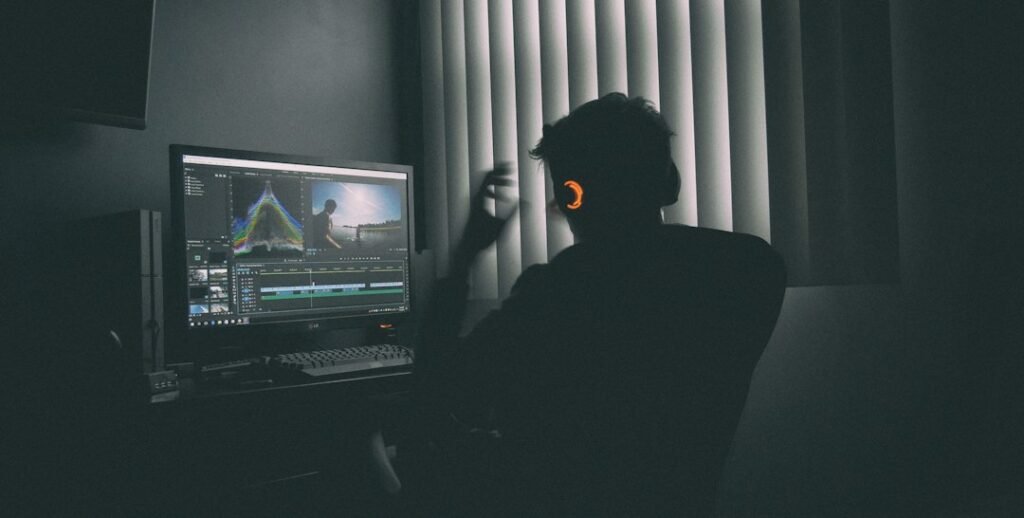
Photo by <a href="https://unsplash.com/@mark_crz?utm_source=WP+Agent&utm_medium=referral">Mark Cruz</a> on <a href="https://unsplash.com/?utm_source=WP+Agent&utm_medium=referral">Unsplash</a>
AI Video Editing Tools in 2026: How Artificial Intelligence Is Changing the Way We Create Videos
Video content has become one of the most powerful ways to attract attention online. From YouTube and TikTok to Instagram Reels and business advertisements, audiences are consuming more video than ever.
But professional video editing can take hours. Cutting clips, removing unwanted sections, adding subtitles, creating transitions, generating voiceovers, finding music, and producing different versions for multiple platforms can become exhausting.
This is where AI video editing tools are changing the game.
In 2026, creators can use artificial intelligence to automate many repetitive editing tasks while spending more time on storytelling, creativity, and strategy.
Disclosure: This article contains affiliate links to InVideo. If you make a purchase through an eligible link, BRAINORA may receive a commission at no additional cost to you. This does not affect the price you pay, and our content remains editorially independent.
What Are AI Video Editing Tools?
AI video editing tools are software applications that use artificial intelligence to help create, edit, enhance, or optimize videos.
Instead of manually performing every editing task, users can give instructions to an AI system or activate automated features.
Depending on the platform, AI can help with:
- Automatic video trimming
- Background removal
- Subtitle generation
- Voice enhancement
- Noise reduction
- Scene detection
- AI-generated visuals
- Voiceovers
- Video resizing
- Script generation
- Object removal
- Text-based editing
- Short-form video creation
This makes video editing much more accessible to beginners.
Why AI Video Editing Is Trending in 2026
The biggest reason is simple: content demand is increasing.
Creators are expected to publish consistently across multiple platforms.
A single piece of content may need to become:
YouTube Video → YouTube Short → TikTok → Instagram Reel → Facebook Video
Manually creating every version can take a huge amount of time.
AI can help automate parts of this process, allowing creators to repurpose one idea into multiple formats much faster.
1. Edit Videos Using Text
One of the most interesting developments in modern AI editing is text-based video editing.
Instead of searching through a timeline manually, users can work with a transcript and remove unwanted words or sections directly from the text.
For example, removing a sentence from the transcript can automatically remove the corresponding section from the video.
This can make editing interviews, podcasts, tutorials, and talking-head videos significantly faster.
2. Automatic Subtitles
Subtitles are essential for social media because many people watch videos without sound.
AI-powered speech recognition can automatically convert spoken words into captions.
Modern tools can also help with:
- Subtitle timing
- Multiple languages
- Caption styling
- Highlighted words
- Automatic formatting
Creators can then review the generated captions and correct any mistakes before publishing.
3. AI Noise Reduction
Poor audio can ruin an otherwise good video.
Background traffic, fans, wind, keyboard sounds, and room noise can make speech difficult to understand.
AI audio-enhancement technology can analyze recordings and reduce unwanted background sounds while making voices clearer.
This is especially useful for creators recording videos at home or in less-than-perfect environments.
4. Remove Backgrounds Without a Green Screen
Traditional background removal often required a green screen or complicated editing.
AI-powered tools can now identify people and objects in video and separate them from their surroundings.
This allows creators to:
- Replace backgrounds
- Create professional presentations
- Produce advertisements
- Add virtual environments
- Create educational content
For small businesses, this can reduce the need for expensive production setups.
5. Create Short Videos Automatically
Long videos often contain multiple moments that can work as short-form content.
AI can analyze longer videos and identify potentially interesting sections that could become Shorts, Reels, or TikTok videos.
This is particularly useful for:
- Podcasts
- Interviews
- Webinars
- Tutorials
- Conferences
- Educational videos
Instead of manually searching through an hour-long recording, creators can use AI to speed up the discovery process.
6. AI Can Help With Video Scripts
Video editing increasingly overlaps with content creation.
Some platforms can help creators generate or improve scripts before editing begins.
For example, AI can help create:
- Video hooks
- Introductions
- Explanations
- Calls to action
- Short-form scripts
- Product descriptions
- Educational content
However, creators should add their own ideas and verify important information rather than publishing AI-generated scripts without review.
7. AI Voiceovers
Creators don’t always have the time or equipment to record voiceovers.
AI voice technology allows users to generate narration from written scripts.
This can be useful for:
- Faceless YouTube channels
- Explainer videos
- Educational content
- Product advertisements
- Social media videos
8. Generate Visuals With AI
Another major development is the combination of video editing and generative AI.
Creators can increasingly generate images, scenes, animations, and video clips instead of relying exclusively on traditional stock footage.
For example, an educational creator explaining space exploration could generate futuristic space visuals specifically designed around the narration.
This gives creators greater creative flexibility.
AI Video Editing for YouTube
YouTube creators can benefit significantly from AI-assisted workflows. Our step-by-step AI YouTube workflow shows how editing fits alongside research, scripting and SEO.
A creator could potentially use AI to:
- Generate a script outline
- Record the video
- Remove silence
- Clean the audio
- Generate subtitles
- Create chapters
- Produce short clips
- Create different aspect ratios
- Generate thumbnail concepts
The creator can then focus on the most important part: making the content valuable and interesting.
AI Video Editing for TikTok and Instagram
Short-form platforms require speed.
Creators need to capture attention within the first few seconds.
AI can help create:
- Fast cuts
- Automatic captions
- Vertical formats
- Highlight clips
- Background music
- Visual effects
- Short promotional videos
But automation shouldn’t make every video look identical.
Creators still need strong hooks and original storytelling.
AI Video Editing for Businesses
Businesses are also adopting AI-assisted video production.
A company can create videos for:
- Product launches
- Advertisements
- Tutorials
- Customer FAQs
- Training
- Social media
- Website content
- Presentations
For small businesses without a dedicated video team, this can make regular video marketing much more practical.
Benefits of AI Video Editing Tools
The biggest advantages include:
Faster Editing
AI can automate repetitive tasks that previously required manual work.
Lower Production Costs
Businesses and creators may not need a large production team for every simple video.
Beginner-Friendly
People without professional editing experience can create more sophisticated content.
Better Content Repurposing
One long video can be transformed into multiple pieces of content.
More Creativity
AI can handle repetitive tasks while creators focus on ideas and storytelling.
The Limitations of AI Editing
Despite the rapid progress, AI is not perfect.
AI Can Make Mistakes
Automatic captions may contain incorrect words, while AI-generated visuals may include unexpected details.
Generic Content
If creators rely too heavily on templates and automation, videos can lose personality.
Less Manual Control
Some advanced editors still prefer traditional software because it provides precise control over every frame.
Human Review Is Necessary
Will AI Replace Video Editors?
This is one of the biggest questions surrounding the technology.
The more realistic outcome is that AI will change the role of video editors.
Editors may spend less time on repetitive tasks such as trimming, captioning, and basic cleanup.
Instead, they may focus more on:
- Storytelling
- Creative direction
- Visual identity
- Pacing
- Advanced effects
- Brand consistency
- Final quality control
In other words, AI can become an assistant rather than a complete replacement.
How to Choose the Right AI Video Editor
Before choosing a platform, consider your specific needs.
For YouTube
Look for long-form editing, subtitles, audio enhancement, and easy clip generation.
For TikTok and Reels
Prioritize short-form templates, automatic captions, vertical editing, and fast exports.
For Businesses
Look for branding tools, collaboration, commercial-use rights, and professional templates.
For Advanced Creators
Prioritize detailed controls, high-quality exports, AI generation capabilities, and compatibility with professional workflows.
Don’t choose a tool simply because it has the most AI features.
Choose the one that actually makes your workflow faster and better.
The Future of AI Video Editing
The future is likely to become increasingly conversational.
Instead of manually navigating complicated menus, creators may simply tell their editor:
“Remove the boring sections, make the introduction faster, add captions, create a 30-second version, and format it for TikTok.”
The AI could then perform multiple editing tasks automatically.
Conclusion
AI video editing tools are transforming video production by automating many tasks that once required hours of manual work.
From automatic subtitles and audio enhancement to text-based editing, background removal, AI voiceovers, short-form content generation, and generative visuals, artificial intelligence is making professional-looking video creation more accessible.
But the technology doesn’t eliminate the importance of human creativity.
The strongest videos will still require great ideas, compelling storytelling, authenticity, and careful editing.
In 2026, the winning strategy isn’t humans versus AI.
It’s humans using AI to create better videos, faster.






1 thought on “AI Video Editing Tools in 2026: Best Ways to Edit Videos Faster”